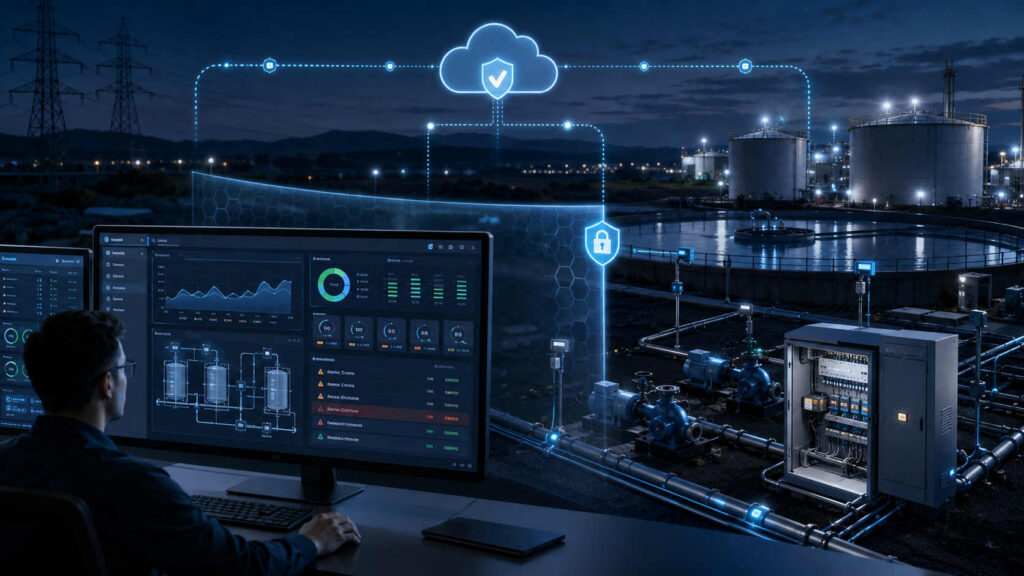
Industrial operators need visibility.
They need to know whether pumps are running, whether tanks are filling, whether pressure is stable and whether remote sites are still communicating. Engineers need trends and historical data. Managers need summaries. Maintenance teams need alarms that tell them where attention is required.
Providing that visibility, however, can create risk if the monitoring system becomes another route into the operational network.
A secure Human-Machine Interface, or HMI, should therefore do more than display data attractively. It should provide useful operational awareness while preserving strict boundaries between field equipment, cloud systems and the people viewing the information.
The goal is visibility without vulnerability.
The Role of the Modern HMI
Traditional HMIs were often installed close to the equipment they monitored. An operator might use a dedicated screen inside a control room to view process values and interact with machinery.
Modern industrial systems are more distributed.
A single organization may operate pumping stations, reservoirs, generators, environmental sensors or production equipment across a large geographic area. Operators may need to see this information from a central office, a mobile device or a secure web browser.
A modern HMI can bring those remote assets into one operational view.
It may display:
- Equipment status
- Pressure, flow and temperature values
- Tank and reservoir levels
- Communication health
- Active and acknowledged alarms
- Historical trends
- Site availability
- Maintenance indicators
The HMI becomes the point where raw field data is transformed into information that people can understand and act upon.
Monitoring Is Not the Same as Control
One of the most important architectural decisions is whether the HMI is intended only for monitoring or also for remote control.
These functions are often grouped together, but they create very different risks.
A monitoring interface reads and displays information. A control interface can send instructions that may change the physical process.
If an operator dashboard only needs to show pump status, there may be no reason for that same interface to have the ability to start or stop the pump. Adding control features where they are not required increases the consequences of account compromise, configuration errors and unauthorized access.
A secure design should therefore separate visibility from control wherever possible.
Executives may need high-level performance summaries. Engineers may require detailed trends. Operators may need alarms and site status. Only a small, specifically authorized group may need the ability to issue commands.
The HMI should reflect these differences rather than giving every user the same level of access.
Keeping the Field Network Protected
A poorly designed monitoring platform can create an indirect bridge between business systems and operational technology.
For example, a web dashboard may connect through middleware to a field gateway, which in turn communicates with a programmable controller. If the path is broadly accessible or poorly segmented, a compromise of the web application could potentially expose deeper parts of the operational environment.
A safer architecture limits how data moves between these layers.
Field devices send operational data to an approved receiving platform. The HMI reads from that platform rather than directly accessing controllers and sensors. Communication policies determine which systems can exchange information and in which direction.
This creates separation between:
- Field equipment
- Communication infrastructure
- Data storage and processing
- HMI presentation
- Enterprise users
The HMI remains useful without becoming a general-purpose access path into the field network.
The Value of Heartbeat Monitoring
Not every failure produces an alarm.
A remote site may stop communicating because of a power outage, damaged antenna, cellular problem or hardware fault. If the system only reports when something goes wrong, silence may be mistaken for normal operation.
Heartbeat messages solve this problem.
A field device sends a small status message at a defined interval, even when no alarm is active. The central platform records the time of the last successful communication.
If the expected heartbeat does not arrive, the system can mark the site as offline or generate a communication alarm.
This provides operators with two important forms of awareness:
The process values being reported by the site.
Confidence that the site is still capable of reporting them.
Without heartbeat monitoring, an apparently stable value may simply be the last reading received before communication was lost.
Turning Data Into Operational Awareness
Raw data is rarely useful by itself.
A stream of pressure readings or digital input states must be organized so that operators can quickly understand what is happening.
A well-designed HMI uses visual hierarchy to show the most important information first.
Normal conditions should be easy to recognize. Abnormal conditions should stand out without overwhelming the operator. Equipment states should use consistent symbols and terminology across the system.
The interface may include:
- Overview screens for multiple sites
- Detailed process screens for individual assets
- Trend charts showing changes over time
- Alarm lists sorted by severity and time
- Communication indicators
- Maintenance and diagnostic views
- Role-specific dashboards
The objective is not to place every available value on one screen. It is to help each user identify what requires attention.
Alarm Design Matters
An HMI alarm is only useful if someone can understand and act upon it.
Poorly configured systems often generate too many alarms. Operators become accustomed to constant warnings and may begin ignoring them. This is known as alarm fatigue.
A strong alarm design should distinguish between:
- Critical conditions requiring immediate action
- Warnings that indicate developing problems
- Maintenance notifications
- Communication failures
- Informational events
Each alarm should provide enough context to support a response.
Instead of simply displaying “High Pressure,” the interface should identify the site, equipment, current value, configured threshold and time of occurrence.
Historical alarm records are also important. They allow engineers to identify repeated events, determine whether a problem is worsening and review how quickly previous incidents were handled.
Trends Reveal What Single Values Cannot
A current reading shows what is happening now. A trend shows how the system arrived there.
A tank level of 60 percent may appear normal. A trend may reveal that the level has been falling steadily for six hours. A motor temperature may remain below the alarm threshold while gradually increasing each week.
Trend visualization helps operators and engineers identify:
- Gradual equipment degradation
- Repeating operational cycles
- Unusual changes in demand
- Sensor drift
- Performance differences between sites
- Conditions leading up to an alarm
Historical data turns the HMI from a status screen into an operational analysis tool.
Role-Based Views and Permissions
Not every user needs the same information.
An operator may require detailed real-time process values. A maintenance technician may need diagnostic data. A manager may only need uptime, alarm counts and performance summaries.
Role-based views reduce clutter and improve security.
Users should see the information necessary for their responsibilities. Permissions should also determine whether they can acknowledge alarms, change settings or issue commands.
This supports the principle of least privilege.
A compromised executive account should not automatically provide access to operational control. A contractor should not retain permanent visibility into every site. A read-only user should not be able to modify alarm thresholds.
The HMI should enforce these distinctions consistently.
Securing the Web-Based Interface
A web-based HMI must be treated as a security-sensitive application.
It should use encrypted connections, strong authentication and carefully managed sessions. Administrative actions should be logged. Failed login attempts and unusual account behaviour should be monitored.
The system should also be maintained like any other internet-facing software.
This includes:
- Applying security updates
- Removing unused accounts
- Enforcing strong authentication
- Reviewing user permissions
- Protecting backups
- Logging configuration changes
- Testing recovery procedures
- Restricting access where appropriate
The operational data may be protected in the field, but weak security at the HMI layer can still expose sensitive information.
Policy-Controlled Communication
The safest industrial monitoring systems do not allow every connected component to communicate freely.
A policy-controlled architecture defines exactly which systems may exchange data.
A field device may be permitted to send telemetry to a specific server. The HMI may be allowed to read processed data from a database or API. Enterprise users may access the HMI through an authenticated web interface.
What they should not receive by default is an unrestricted network route back to the field equipment.
This distinction allows organizations to distribute operational information without exposing the underlying control network.
Visibility as a Security Benefit
Good visibility does more than improve operations. It can strengthen security.
Operators who can see communication failures, unusual data patterns and unexpected device activity are better positioned to recognize potential incidents.
Historical records support investigation. Alarm logs show when conditions changed. Device health information can reveal whether a site stopped communicating unexpectedly.
The HMI becomes part of the organization’s situational awareness.
For this to work, the information must be trustworthy, timely and presented clearly.
The Right Balance
Industrial organizations should not have to choose between secure isolation and useful operational visibility.
A carefully designed HMI can provide dashboards, trends, alarms and remote monitoring while preserving strict separation from field control systems.
The key is to treat the HMI as part of the security architecture rather than merely as a visual interface.
It should display the right information to the right people, maintain clear communication boundaries and avoid creating capabilities that the operational mission does not require.
When designed this way, the HMI becomes more than a screen.
It becomes a secure window into the industrial process.